Install mail servers

From The Network People, Inc.

Jump to: navigation, search

Contents

Step 7: Install Web/POP3/IMAP servers

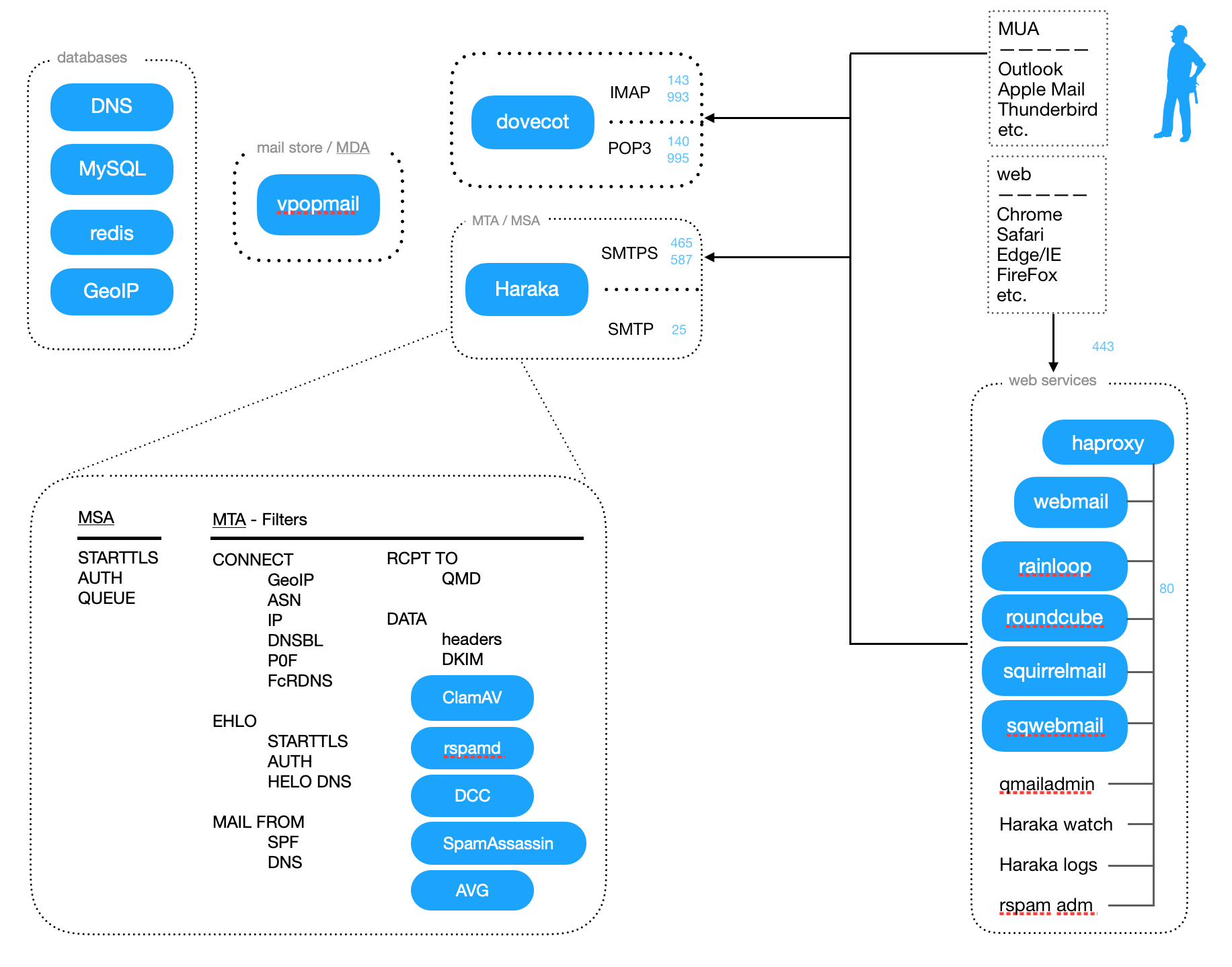
Install either of the following IMAP & POP3 servers (see note):

toaster_setup.pl -s courier
toaster_setup.pl -s dovecot


and then a webmail client or three:

toaster_setup.pl -s squirrelmail
toaster_setup.pl -s sqwebmail
toaster_setup.pl -s roundcube

There is also support for v-webmail on the Mail Toaster login page but it must be manually installed. Edit mt-top.html to select which webmail interfaces are presented as options to your users.

Courier -vs- Dovecot -vs- Binc

Courier has been the default IMAP server for many years. However, vpopmail support has always been a second class citizen to most of the courier developers. It has also been a persistent nuisance to keep working reliably due to frequent changes. However, it works well, scales well, and is still a supported feature of Mail Toaster.

BincIMAP = Binc is not Courier = a replacement for Courier. I evaluated it a long time ago and wasn't impressed. I don't remember why, but IIRC, my biggest complaints were performance related.

Then came Dovecot. I've watched the project for well over a year and have had Dovecot running on a personal mail server. Other than being a pain to get set up (because there wasn't any docs yet!) so long ago, it has been an extremely dependable POP3/IMAP server. It also builds much, much faster than Courier. Configuration is not yet intuitive but is no longer frightening. I highly recommend Dovecot.

There are some known Migrating to Dovecot that should be reviewed prior to switching.

Courier IMAP

Sqwebmail FreeBSD note

Image:Mua-sqwebmail-opts.jpg


Dovecot FreeBSD note

Image:Mua-dovecot-opts.png
Personal tools
Mongers